△ AI SKILL · GROK / CLAUDE / CHATGPT
DSE 經濟圖
把 DSE 經濟科題目和評卷參考貼到 AI 對話,就會得到 HKEAA 評卷參考風格的圖。中英文皆可,黑白印刷,直接放進工作紙,不用識寫程式。
下載
建議使用 Grok。 經測試,Grok 畫出的圖質素最好,而且香港可直接使用,毋須 VPN。
dse-econ-graph.zip · 89 KB — Grok 及 Claude 用這個檔案。不用解壓。
dse-econ-graph-chatgpt.zip · 91 KB — ChatGPT 只接受這個版本(普通版本會出現「Plugin archive must contain …」錯誤)。不用解壓。
v1.5.2 · 2026-10-03 · 免費 · MIT 授權
最新更新
- Grok 設定只需一步:把 dse-econ-graph.zip 上載為技能(插件 ▸ 技能 ▸ 新增技能 ▸ 上傳技能檔案),不用建立專案或輸入指示文字。
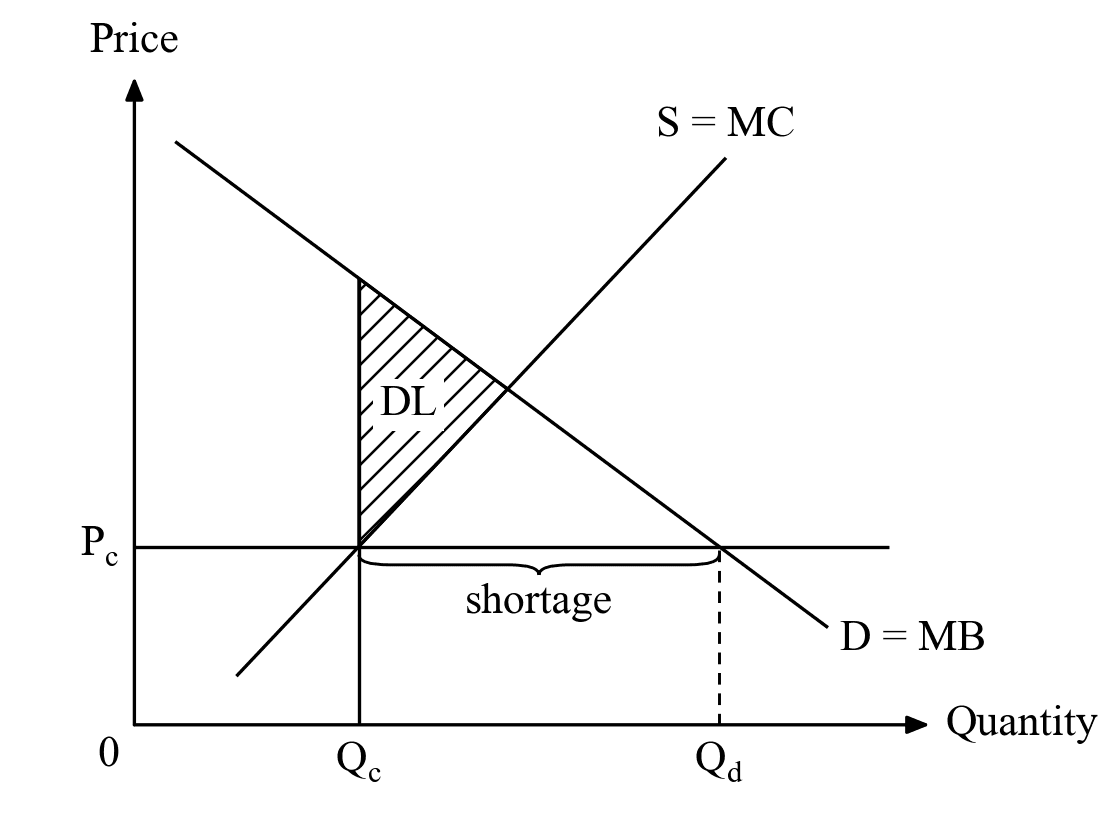
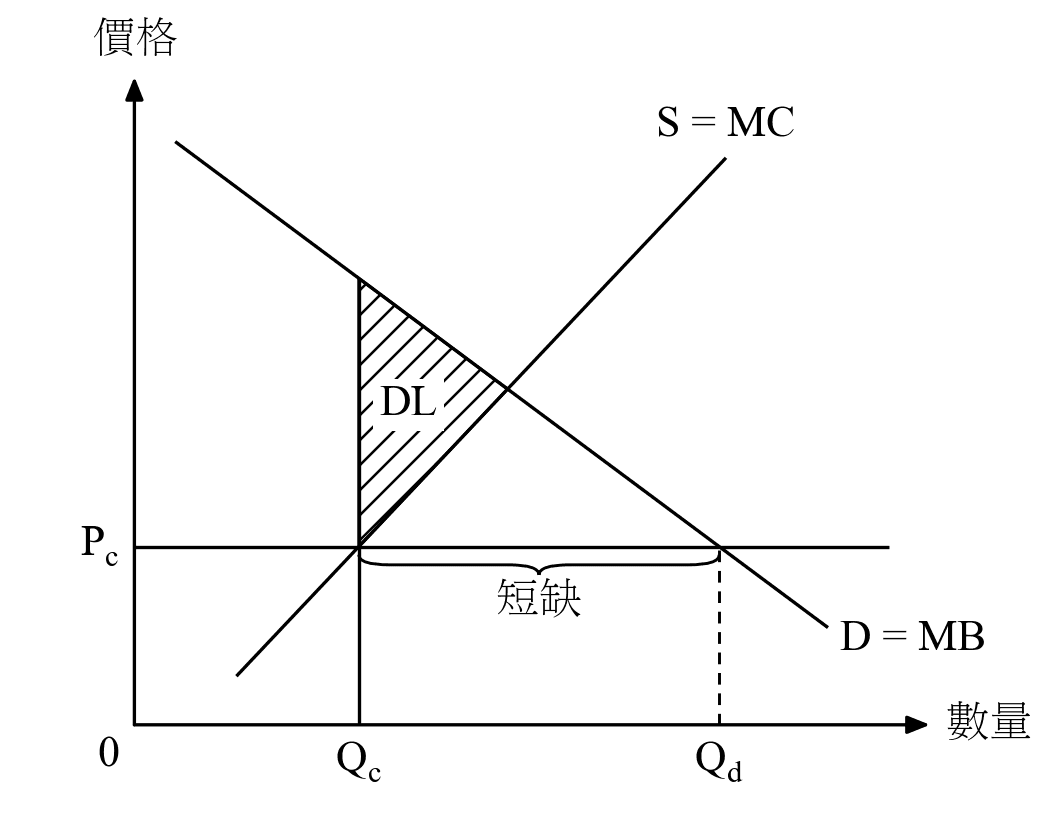
設定步驟(只需一次)
選擇你用的 AI。
- 01
下載 dse-econ-graph.zip,不用解壓。
- 02
前往 grok.com 並登入。在側邊欄按「插件」,再打開「技能」分頁。
- 03
按「新增技能」▸「上傳技能檔案」,選擇 dse-econ-graph.zip。完成,不用另外輸入指示文字。
- 04
要畫圖時:開始任何新對話,貼上題目。如 Grok 沒有自動使用這個技能,在訊息開頭加上「使用 dse-econ-graph 技能。」
畫圖(任何 AI 都一樣)
- 01
貼上題目和評卷參考即可,不用再寫其他指示。
- 02
AI 會直接回覆畫好的圖:中文題目畫中文圖,英文題目畫英文圖,每一分題一張。
- 03
在圖片上按右鍵 ▸「另存圖片」,即可放進工作紙。
- 04
要修改?直接用文字說,例如「需求曲線畫斜一點」、「把『短缺』移低一點」或「也要英文版」,它會重畫。
- 05
如果 AI 給你程式碼而不是圖片:打開 colab.new,貼上程式碼,按 ▶,圖片會顯示並自動下載。
快速方法(不用建立專案)
- 01
在 AI 開始新對話,附加 dse-econ-graph.zip。
- 02
輸入:「使用附件的 dse-econ-graph 技能。」然後貼上題目和評卷參考。
- 03
下次開新對話時,再附加一次 dse-econ-graph.zip。
有新版本時
- 01
重新下載 zip(dse-econ-graph.zip;ChatGPT 用 dse-econ-graph-chatgpt.zip)。
- 02
Grok:在「插件」▸「技能」刪除舊的 dse-econ-graph 技能,上載新的 dse-econ-graph.zip。ChatGPT:在 Plugins ▸ Upload plugin 上載新的 dse-econ-graph-chatgpt.zip。如指示文字有更新,把新文字貼到 ChatGPT 專案的 Instructions(指示)。
- 03
Claude:在 Settings ▸ Capabilities ▸ Skills 刪除舊技能,上載新的 dse-econ-graph.zip。
圖庫(共 43 款)
評卷參考中的供求圖及 AD-AS 圖,每款都有中英文版本。
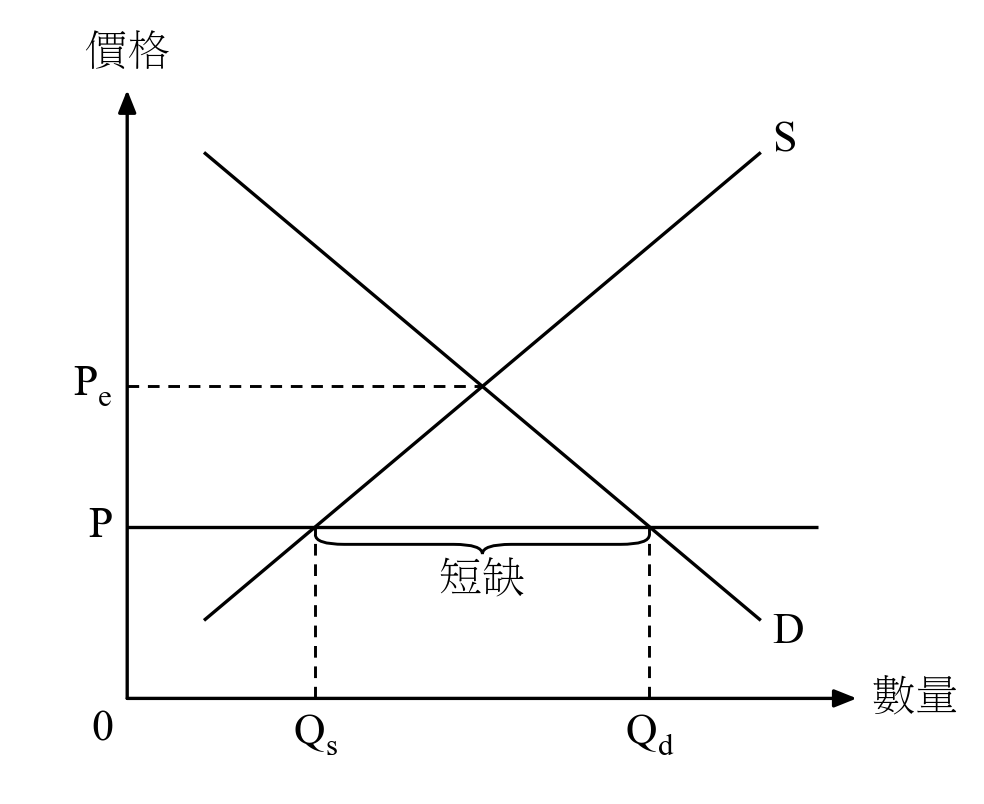
Price set BELOW equilibrium (price ceiling / fixed low price) → shortage. 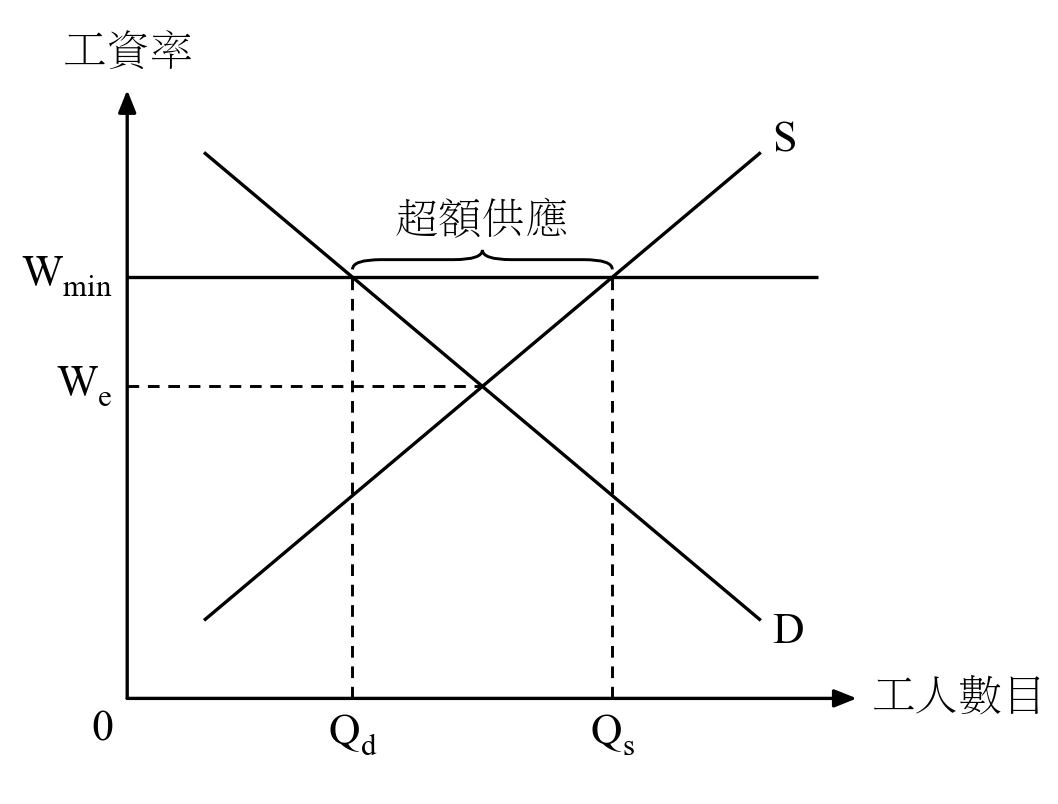
Minimum wage ABOVE equilibrium in a labour market → unemployment. 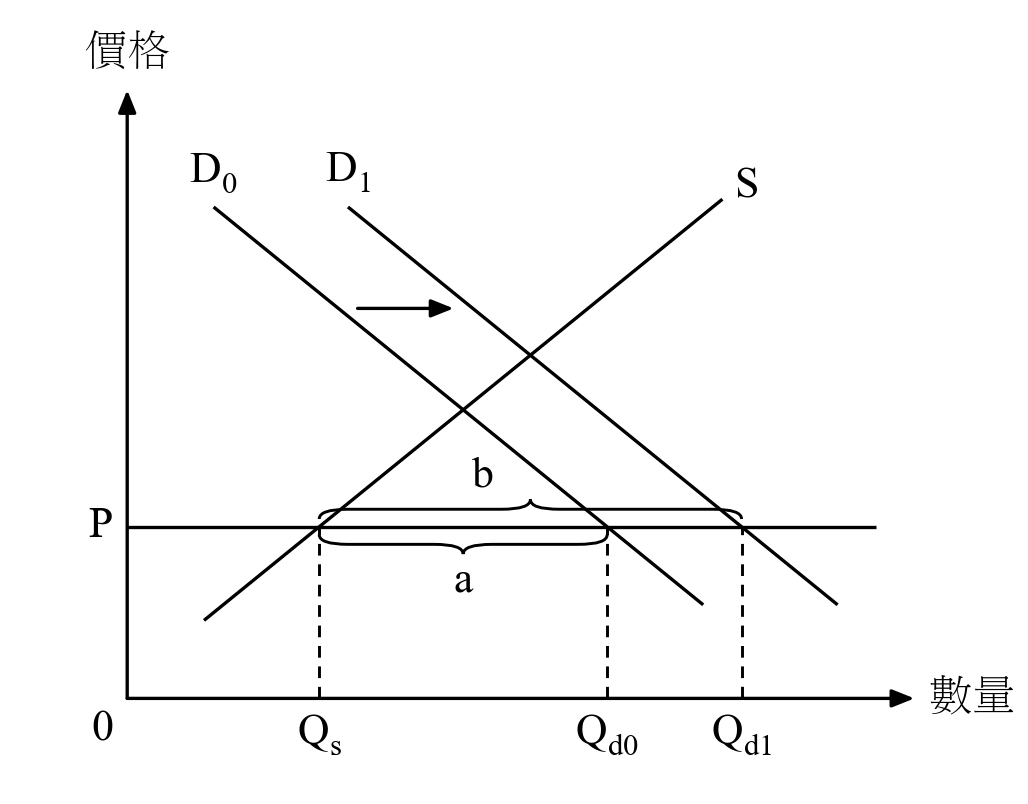
Price fixed BELOW equilibrium; demand increases → shortage grows. 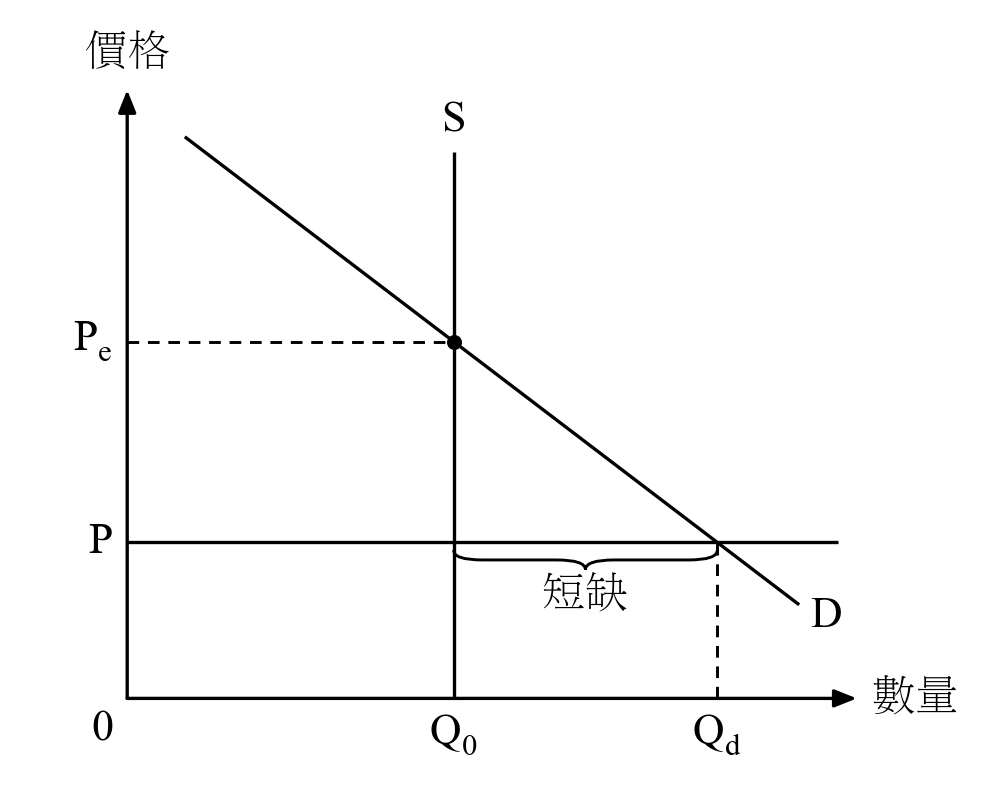
Perfectly inelastic (vertical) supply, price set BELOW equilibrium → shortage. 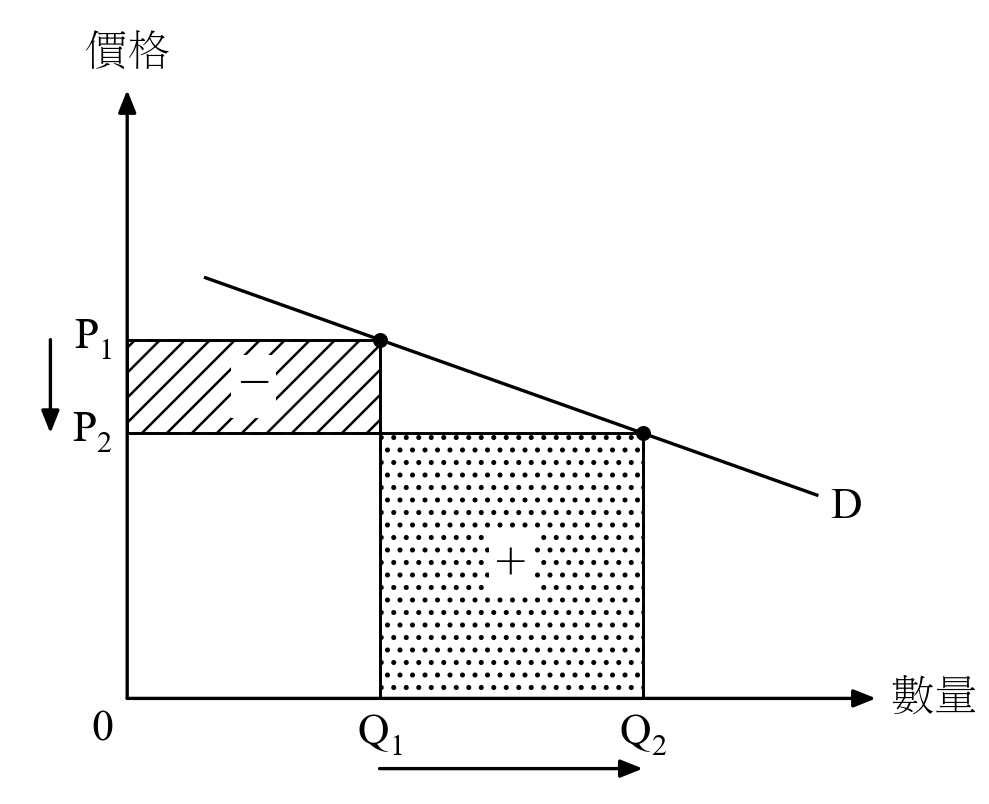
Price falls on ELASTIC (flat) demand → total revenue rises. 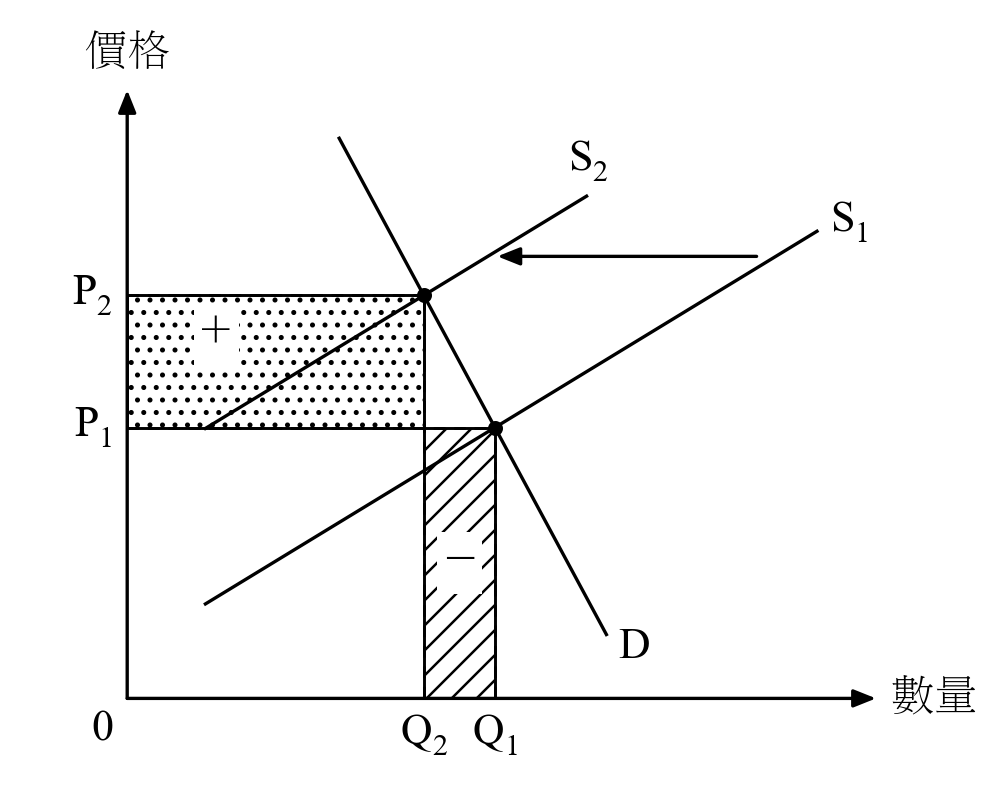
Supply decreases on INELASTIC (steep) demand → total revenue rises. 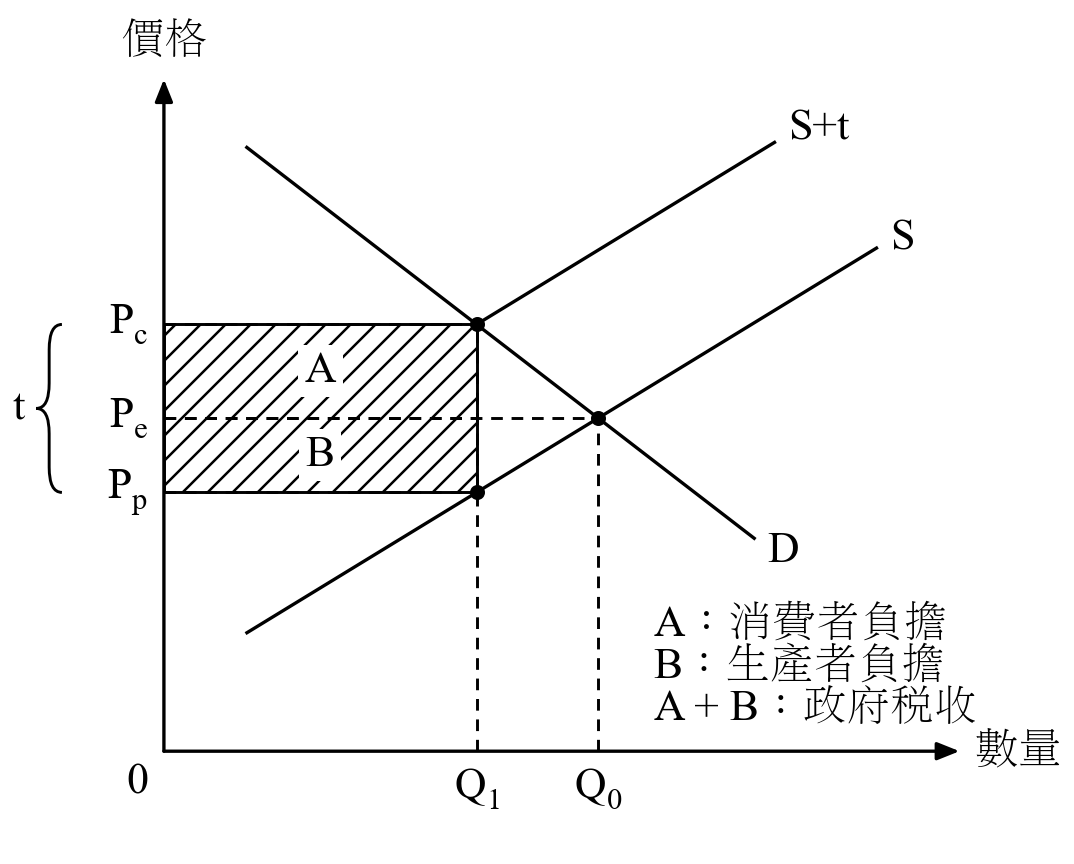
Per-unit tax: incidence and tax revenue. 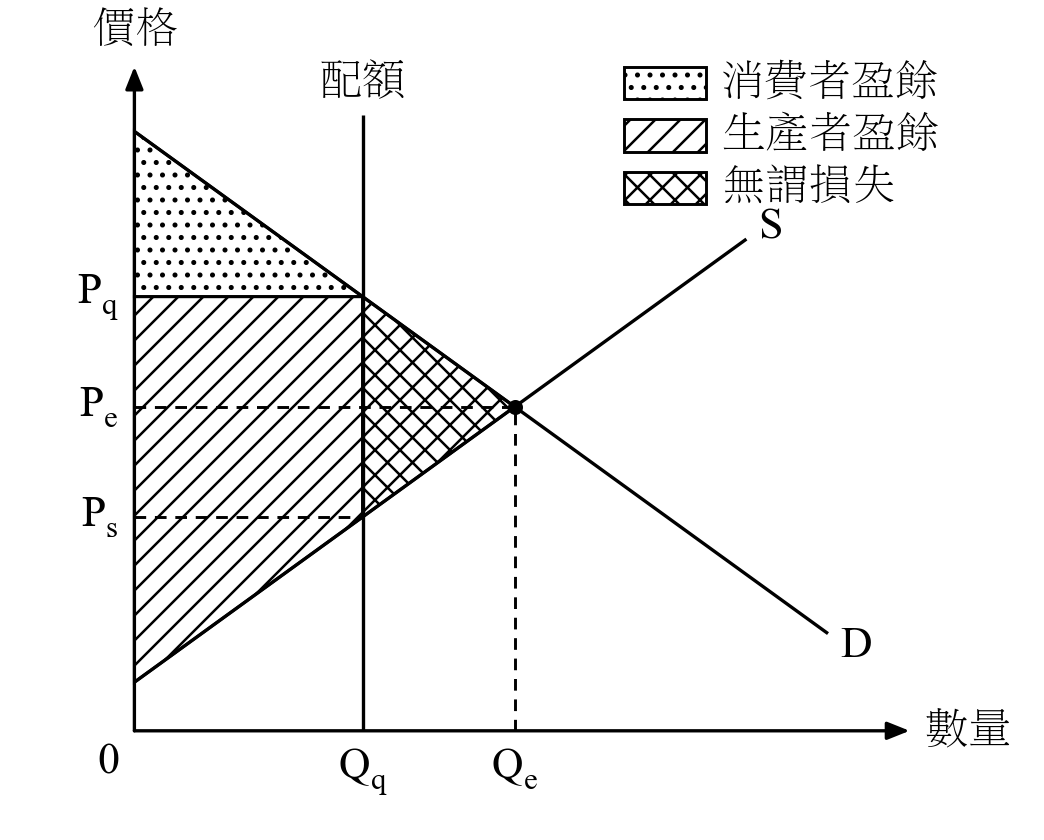
A quota (Qq) set BELOW the equilibrium quantity (Qe): consumer surplus, producer surplus and deadweight loss. 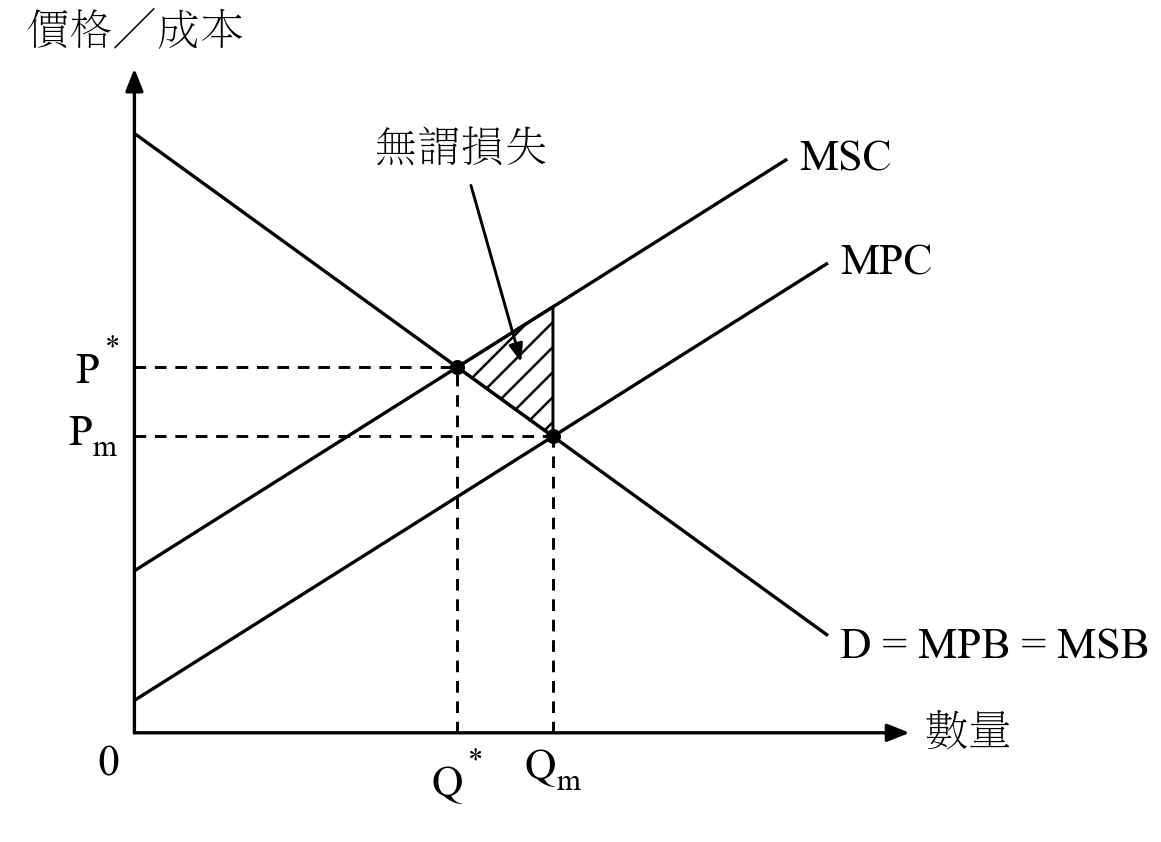
Negative externality in production: overproduction and deadweight loss. 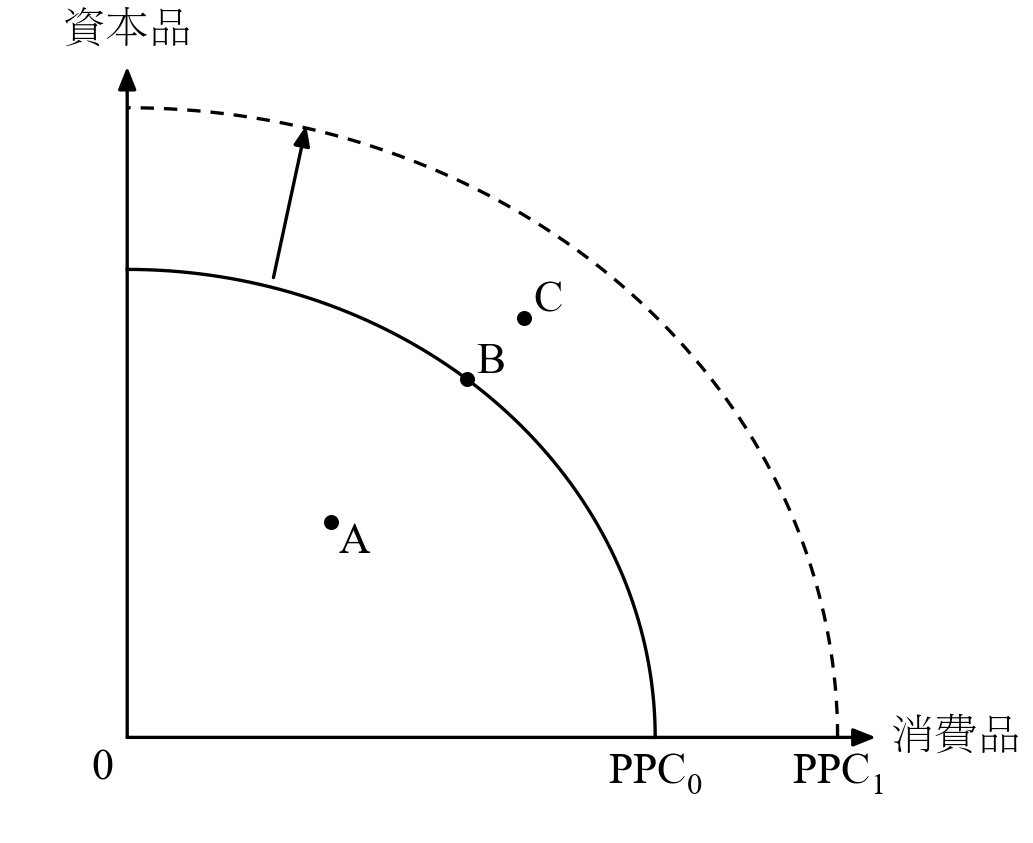
Production possibilities curve (PPC) and economic growth. 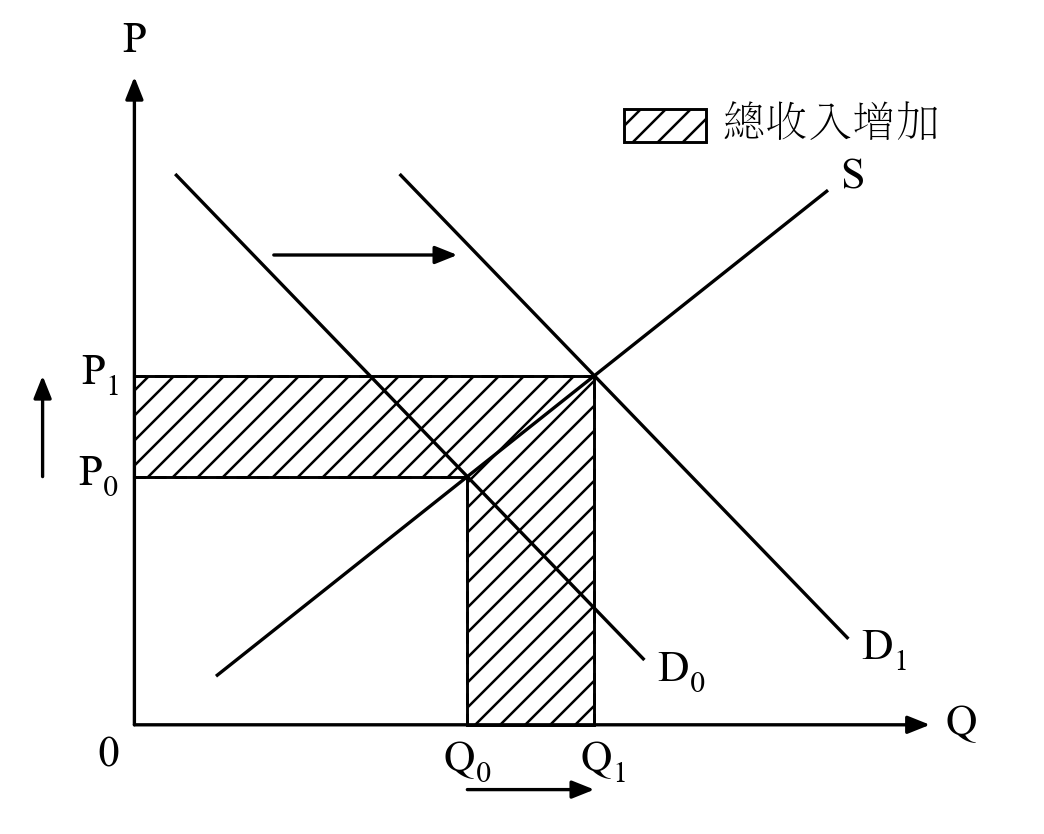
Demand increases → price and quantity both rise → total revenue increases (shade the change only). 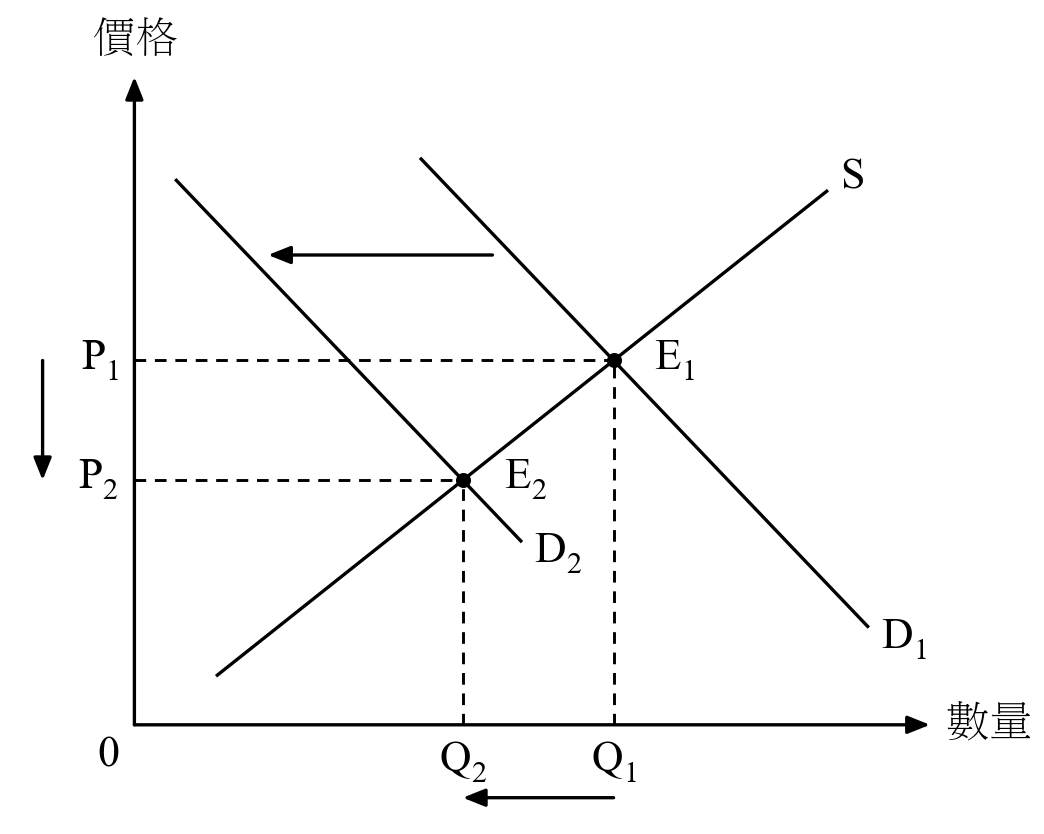
Demand decreases → price and quantity fall.
常見問題
DSE 經濟圖是甚麼?
DSE 經濟圖是一個免費的 AI 技能(skill)。把 DSE 經濟科題目和評卷參考貼到 AI 對話,AI 就會畫出 HKEAA 評卷參考風格的黑白經濟圖,中英文皆可,可直接放進工作紙。
應該用哪一個 AI?
建議使用 Grok。經過測試,Grok 畫出的圖質素最好,而且在香港可直接使用,毋須 VPN。Claude 和 ChatGPT 亦可使用,但在香港需要 VPN。
應該下載哪一個檔案?
Grok 和 Claude 用 dse-econ-graph.zip;ChatGPT 只接受 ChatGPT 專用版本 dse-econ-graph-chatgpt.zip。兩個檔案都不用解壓。
需要識寫程式嗎?
不需要。設定一次之後,每次只需貼上題目和評卷參考,AI 會直接回覆畫好的圖,不會給你程式碼。
可以畫哪些圖?
評卷參考中常見的供求圖及總需求-總供給(AD-AS)圖,包括需求和供給變動、勞動市場、總收益與彈性、價格管制與無謂損失、稅項、補貼和配額、消費者及生產者盈餘,以及通縮和通脹缺口。本頁的圖庫列出全部圖款。
如果 AI 給我程式碼而不是圖片,怎麼辦?
打開 colab.new,貼上程式碼,按 ▶,圖片會顯示並自動下載。
有新版本時怎樣更新?
重新下載 zip,在 AI 中取代舊的檔案:Grok 在專案檔案中替換,Claude 在 Settings ▸ Capabilities ▸ Skills 替換,ChatGPT 在 Plugins ▸ Upload plugin 重新上載。
這是 HKEAA 的官方工具嗎?
不是。圖的風格模仿 HKEAA 評卷參考,但本工具與 HKEAA 沒有任何關係。中文用語依照教育局《中學經濟科常用英漢辭彙》(2020)。
OPEN SOURCE · MIT LICENSE · NOT AFFILIATED WITH THE HKEAA ·SOURCE ON GITHUB